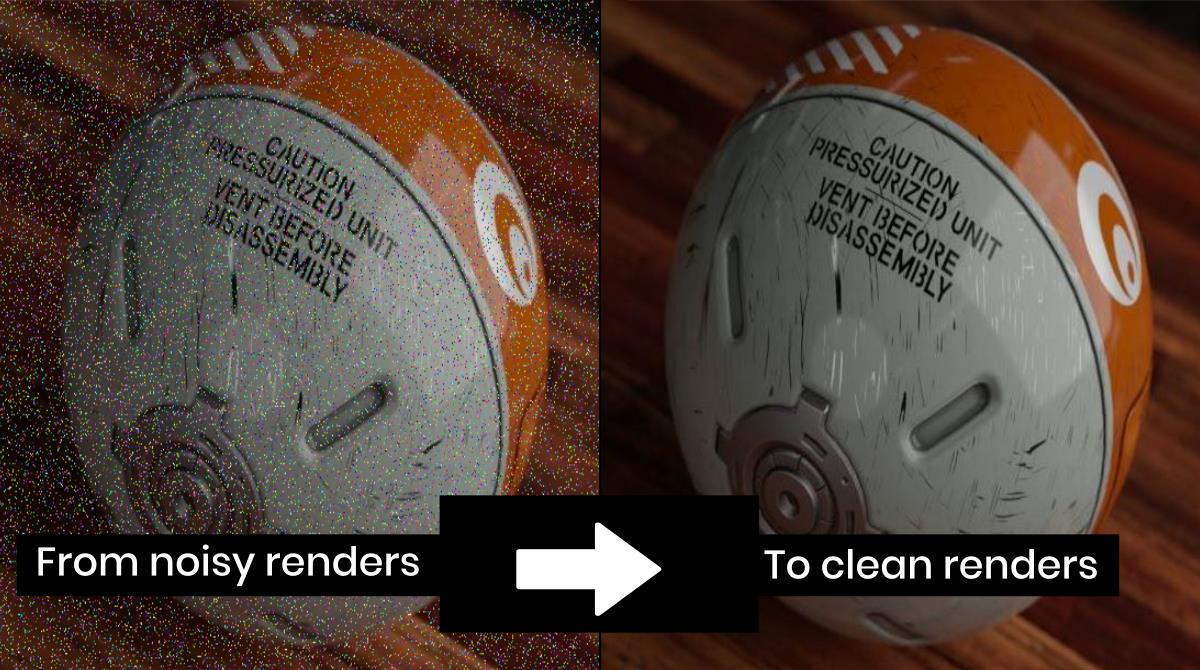
Use adaptive sampling, denoising, smart lighting, and clean shaders to kill grain fast.
If you have ever stared at a speckled render and wondered what went wrong, you are not alone. I’ve spent years fixing fireflies, flicker, and grain across product shots, interiors, and VFX plates. In this guide on How To Reduce Blender Noise, I’ll show you the exact steps I use on real jobs, why they work, and when to use them. You will learn practical fixes for Cycles and Eevee, with settings you can trust and results you can repeat.

What Causes Noise In Blender Renders
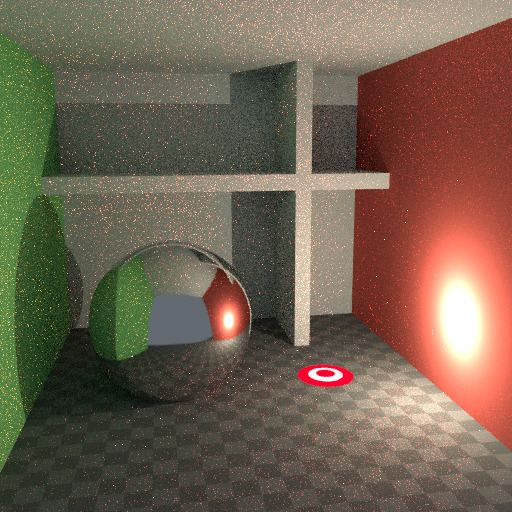
Noise is random variation in pixel values. In Cycles, it happens when path tracing struggles to find light paths, especially in dark rooms, glossy caustics, or tiny emitters. In Eevee, grain shows up in screen-space effects and low sample volumetrics.
Two ideas matter most. The fewer rays you need to reach stable light, the less noise you get. The more you help the renderer pick smart paths, the faster it cleans up.
Core Steps: How To Reduce Blender Noise Fast
If you want a quick, safe workflow, use this order:
- Turn on denoising. Use OIDN on CPU or OptiX on RTX GPUs.
- Enable adaptive sampling. Set Noise Threshold around 0.01 to 0.03.
- Raise render samples until detail holds. Start at 128 to 512.
- Clamp indirect light to control fireflies. Try Clamp Indirect 2.0. Keep Clamp Direct at 0 to 1.0 max.
- Use larger lights or emissive areas. Avoid tiny, super-bright emitters.
- Enable Multiple Importance Sampling for the World and emissive materials.
This gets you clean results fast with minimal guesswork. It is my baseline for almost every Cycles scene and is core to How To Reduce Blender Noise on deadlines.
Denoising Options And When To Use Them
Denoising removes high-frequency grain after sampling. The right choice depends on hardware and shot type.
- Intel Open Image Denoise. Great all-rounder on CPU. Pair with Normal and Albedo passes for fewer smears.
- OptiX Denoiser. Best speed on NVIDIA RTX. Good in viewport and finals, but can over-smooth micro detail.
- Compositor Denoise Node. Use for more control. Feed Denoising Albedo and Denoising Normal passes. Blend strength with a Mix node to keep texture detail.
For animation, keep the noise pattern stable by using consistent seeds and adaptive sampling. This reduces flicker before denoising, which is key to How To Reduce Blender Noise over long shots.

Lighting Choices That Cut Noise
Lighting can make or break render cleanliness.
- Prefer bigger lights. Larger sources give softer shadows and fewer fireflies.
- Avoid tiny, hot emitters. Replace with area lights or larger emissive geometry.
- Turn on Multiple Importance Sampling for HDRIs. It helps the engine find bright parts of the environment.
- Hide small or pointless lights from camera but keep them affecting diffuse/glossy if needed.
- Limit caustics. Turn off reflective and refractive caustics unless the shot needs them. Use shadow caustics only when required.
In interiors, add a large portal-like opening with an area light or higher HDRI exposure. Path Guiding and the Light Tree (Blender 3.5+) also help the engine target energy where it matters.
Material And Shader Tweaks For Cleaner Frames
Complex shaders can spike noise. Keep them honest.
- Add roughness. Perfect mirrors and sharp glass cause speckles. A little roughness calms noise.
- Avoid extreme emission on tiny faces. Spread emission across larger surfaces.
- Use Principled BSDF where possible. It is well-behaved and consistent.
- Limit glossy bounces if the scene does not need many reflections.
- Keep normal maps and displacement clean. Over-sharpened textures confuse denoisers.
If a material causes bright pixels, clamp indirect light and check glossy roughness. This is a simple move in How To Reduce Blender Noise without killing highlights.
Smart Render Settings In Cycles
Cycles has many switches. These are the safe, proven ones.
-
Sampling
- Render Samples: 128 to 1024 depending on detail.
- Adaptive Sampling: On.
- Noise Threshold: Start at 0.01 to 0.03.
-
Light Paths
- Max Bounces: 8 to 12 for hero shots; 4 to 6 for speed.
- Diffuse: 2 to 4.
- Glossy: 2 to 4.
- Transmission: 4 to 6 if glass is important.
- Transparency: 8 for foliage and hair.
-
Caustics and Clamping
- Reflective/Refractive Caustics: Off unless needed.
- Clamp Indirect: 1.0 to 3.0.
- Clamp Direct: 0 to 1.0.
-
Performance
- Light Tree: On for scenes with many lights.
- Path Guiding: On for interiors and complex indirect light.
- Persistent Data: On for faster re-renders.
These settings are the backbone of How To Reduce Blender Noise in Cycles while keeping realism.
Eevee Settings To Avoid Grain And Flicker
Eevee is fast, but noise can show up in effects.
- Use TAA for viewport and final renders. It reduces shimmer.
- Increase Volumetric Samples and Distribution. Try samples 64 to 128 for clean fog.
- Raise Shadow map resolution and sample count. Softer, cleaner shadows reduce crawl.
- Screen Space Reflections. Increase max roughness and quality. Use half-resolution off for finals.
- Use Dithering. It can hide banding and soft grain.
For Eevee, bake indirect lighting when possible and keep emissive noise low. This is a practical angle in How To Reduce Blender Noise when you need speed.

Animation And Temporal Stability Tips
Noise that looks fine in a still can flicker in motion.
- Keep the sampling seed stable. Let adaptive sampling handle variation rather than random seeds per frame.
- Avoid sudden exposure or HDRI changes. Consistent lighting helps denoisers.
- Render a short wedge. Test different noise thresholds and clamps across 20 to 50 frames.
- Use motion blur after denoising tests. It can hide residual grain but may smear if noise is heavy.
I learned to always test a turntable or a short camera move before full runs. It saves time and is central to How To Reduce Blender Noise in production.

Hardware And Workflow For Faster Clean Renders
Your setup affects noise-fighting speed.
- Use GPU when possible. OptiX on RTX cards is very fast.
- Keep VRAM free. Close heavy apps and use smaller textures.
- Use tiled, compressed, or mipmapped textures. This helps memory and stability.
- Work in small regions. Render key crops at full settings to tune thresholds fast.
- Save presets. Keep a clean baseline for interiors, products, and characters.
Better throughput means you can raise samples or lower thresholds without missing deadlines. That is a hidden part of How To Reduce Blender Noise you will feel in your render times.
Frequently Asked Questions of How To Reduce Blender Noise
Why is my Cycles render still noisy at high samples?
Hard light paths, glass, and tiny emitters cause slow convergence. Use denoising, clamp indirect light, and increase light size to stabilize.
Should I use OIDN or OptiX for denoising?
Use OptiX if you have an RTX GPU and need speed. Use OIDN for strong detail retention, especially with Normal and Albedo passes.
What clamp values are safe?
Clamp Indirect 1 to 3 removes fireflies without dulling light. Keep Clamp Direct low or zero to preserve bright highlights.
How do I reduce noise in HDRI-lit scenes?
Enable Multiple Importance Sampling on the World. Consider larger fill lights, path guiding, and a lower noise threshold to help indirect light.
How can I stop animation flicker after denoising?
Keep a stable sampling seed and use adaptive sampling. Test a short range of frames to tune thresholds and clamp values.
Is Eevee or Cycles better for noise?
Cycles handles noise physically with path tracing and denoising. Eevee can look clean with tuned settings but may flicker in complex effects.
Do caustics always add noise?
Caustics are costly and often noisy. Turn them off unless they are critical to the shot, or use targeted setups like shadow caustics only where needed.
Conclusion
Reducing noise is a mix of clean lighting, sensible shaders, smart sampling, and the right denoiser. Start with adaptive sampling, good clamp values, and solid light choices. Then fine-tune with path settings and targeted tests.
Apply these steps to your next scene today. You will get cleaner frames, faster approvals, and more time for art. If this guide on How To Reduce Blender Noise helped, subscribe for more tips, or leave a comment with your toughest noise problem.